Top 10 Programmable Circuit Boards
We may earn a commission for purchases made using our links. Please see our disclosure to learn more.
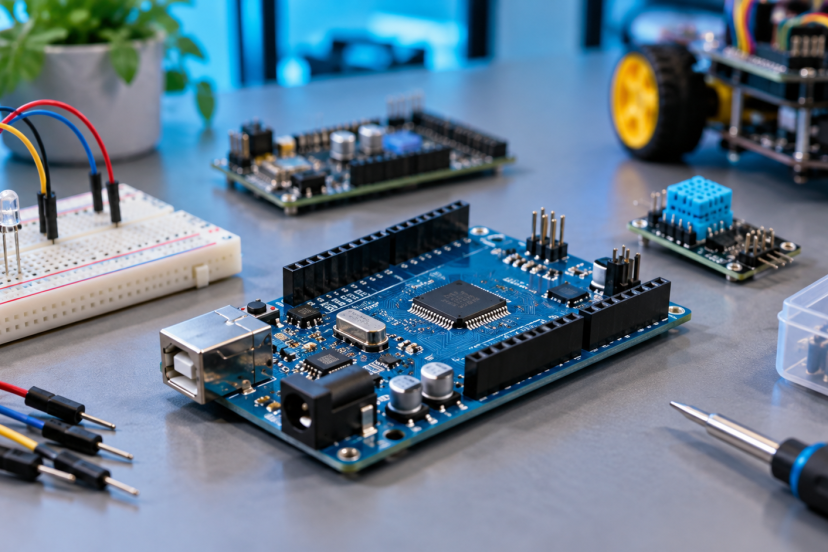
Programmable Circuit Boards let you turn code into real-world actions, from blinking LEDs and reading sensors to controlling robots, smart-home devices, and data loggers. The best board depends on your experience, preferred language, I/O needs, wireless requirements, and project size. For this guide, I compared Amazon US availability, processor platform, connectivity, expansion options, beginner friendliness, physical size, and value. Whether you are learning electronics or building an advanced prototype, these Programmable Circuit Boards give you several practical paths into hands-on computing. That helps avoid unnecessary hardware purchases.
Quick Comparison
| Product | Best for | Key feature | Main limitation | Price category | Overall recommendation |
| Arduino UNO R4 WiFi | Overall use | Wi-Fi, Bluetooth, LED matrix | Larger than Nano boards | Mid-range | Versatile |
| Arduino UNO Rev3 | Beginners | Huge learning ecosystem | No built-in wireless | Mid-range | Easy starting point |
| Arduino Mega 2560 Rev3 | Many connections | 54 digital I/O pins | Large footprint | Premium | Expansion-heavy projects |
| Arduino Nano ESP32 | Compact IoT | ESP32-S3 wireless | 3.3V I/O | Mid-range | Strong compact choice |
| XIAO ESP32S3 | Tiny projects | 21 x 17.8 mm format | Fewer convenient full-size headers | Budget | Excellent for wearables |
| XIAO ESP32C6 | Smart-home work | Wi-Fi 6, Zigbee, Thread | Smaller ecosystem than classic Arduino | Budget | Modern wireless option |
| HiLetgo ESP-WROOM-32 | Budget IoT | Wi-Fi and Bluetooth | Less polished documentation | Budget | Low-cost experimentation |
| Hosyond ESP32-S3 3-Pack | Multi-board builds | Three ESP32-S3 boards | Third-party support varies | Budget | Good project quantity |
| Raspberry Pi Pico | MicroPython | RP2040 PIO | No wireless on base Pico | Budget | Flexible learning board |
| Adafruit Feather RP2040 | Portable builds | LiPo charging | No built-in Wi-Fi | Mid-range | Great battery platform |
1. Arduino UNO R4 WiFi — Best for Overall Versatility
Overview: This modern UNO combines a Renesas RA4M1 microcontroller with an ESP32-S3 connectivity module. It suits learners, makers, and developers who want familiar UNO expansion with newer features.
Key Features: 48MHz RA4M1; Wi-Fi and Bluetooth; USB-C; CAN; 12×8 LED matrix.
Pros: Broad Arduino support; onboard wireless; useful built-in display.
Cons: Larger than compact boards.
Best For: General electronics, classroom projects, connected prototypes.
Verdict: It balances accessibility, connectivity, and expansion better than most general-purpose boards here.

2. Arduino UNO Rev3 — Best for Beginners
Overview: The classic UNO Rev3 remains a straightforward introduction to microcontrollers, especially when tutorials, shields, and example projects matter more than raw processing power.
Key Features: ATmega328P; 16MHz clock; 14 digital I/O; six analog inputs; USB programming.
Pros: Excellent documentation; huge accessory ecosystem; simple 5V workflow.
Cons: Limited memory; no onboard wireless.
Best For: First circuits, school labs, basic sensors, motors, and LEDs.
Verdict: Beginners can spend more time learning code and wiring instead of troubleshooting an unfamiliar platform.

3. Arduino Mega 2560 Rev3 — Best for Large I/O Projects
Overview: The Mega 2560 is built for projects that outgrow UNO pin counts. Its large board exposes many digital and analog connections for multi-sensor builds.
Key Features: ATmega2560; 54 digital I/O; 16 analog inputs; 256KB flash; four hardware serial ports.
Pros: Lots of pins; strong Arduino compatibility; useful for complex wiring.
Cons: Bulky; lacks built-in wireless.
Best For: Robotics, control panels, multi-sensor prototypes, and projects using many peripherals.
Verdict: Choose it when connection count matters more than portability.

4. Arduino Nano ESP32 with Headers — Best for Compact Arduino IoT
Overview: The Nano ESP32 brings ESP32-S3 wireless capability into Arduino’s compact Nano footprint. Presoldered headers make breadboard work easier.
Key Features: ESP32-S3-based NORA-W106; Wi-Fi; Bluetooth; USB-C; MicroPython compatibility.
Pros: Small footprint; strong wireless features; familiar Arduino tooling.
Cons: Uses 3.3V I/O, so older 5V accessories need care.
Best For: Compact IoT nodes, wireless sensors, small robots, and MicroPython learners.
Verdict: It is a convenient bridge between Arduino workflows and ESP32 connectivity.

5. Seeed Studio XIAO ESP32S3 — Best for Tiny Connected Builds
Overview: The XIAO ESP32S3 packs a dual-core ESP32-S3 into a thumb-sized board designed for space-constrained electronics.
Key Features: Up to 240MHz; Wi-Fi; Bluetooth LE; 8MB PSRAM; 8MB flash.
Pros: Extremely compact; battery charging support; Arduino and MicroPython support.
Cons: Tiny pads and spacing can feel less beginner-friendly than UNO layouts.
Best For: Wearables, miniature robots, compact wireless sensors.
Verdict: Few boards combine this much wireless computing power with such a small footprint.

6. Seeed Studio XIAO ESP32C6 — Best for Matter, Thread, and Zigbee
Overview: This XIAO model targets modern connected-device development with an ESP32-C6 and several current wireless standards.
Key Features: Wi-Fi 6; Bluetooth 5.3-class platform; Zigbee; Thread; 802.15.4 support.
Pros: Modern smart-home connectivity; tiny format; low-power-focused architecture.
Cons: Advanced wireless stacks add setup complexity.
Best For: Matter experiments, smart-home nodes, Thread or Zigbee prototypes.
Verdict: It stands out when your project needs more than ordinary Wi-Fi and Bluetooth.

7. HiLetgo ESP-WROOM-32 ESP32 Development Board — Best Budget Wi-Fi Option
Overview: HiLetgo’s ESP-WROOM-32 development board gives budget-conscious makers a familiar ESP32 platform for connected projects.
Key Features: Dual-core ESP32; 2.4GHz Wi-Fi; Bluetooth; integrated antenna; Arduino IDE compatibility.
Pros: Low entry cost; broad ESP32 community; useful wireless foundation.
Cons: Documentation and board revisions can be less consistent than first-party boards.
Best For: Experimenters, hobby IoT projects, and inexpensive sensor nodes.
Verdict: It offers plenty of capability when price matters more than premium support.

8. Hosyond 3-Pack ESP32-S3 N16R8 Boards — Best for Multi-Board Projects
Overview: This three-board set is practical when you need several programmable nodes for a class, distributed sensor project, or repeated prototypes.
Key Features: ESP32-S3 platform; N16R8 memory configuration; USB-C; Wi-Fi; Bluetooth.
Pros: Multiple boards in one purchase; good for parallel builds; modern ESP32-S3 platform.
Cons: Third-party documentation and long-term revision consistency deserve checking.
Best For: Makers building several nodes, classroom teams, or repeat prototypes.
Verdict: The bundle is useful when board quantity is part of the project requirement.

9. Raspberry Pi Pico — Best for MicroPython and PIO
Overview: Raspberry Pi Pico uses the RP2040 microcontroller and supports C/C++ and MicroPython, making it approachable while leaving room for advanced low-level work.
Key Features: Dual-core Cortex-M0+; 264KB SRAM; 2MB flash; 26 multifunction GPIO; programmable I/O.
Pros: Strong documentation; flexible PIO; inexpensive.
Cons: The base Pico has no Wi-Fi or Bluetooth.
Best For: MicroPython learning, custom interfaces, timing-sensitive experiments.
Verdict: It is one of the most flexible budget boards for learning and hardware experimentation.

10. Adafruit Feather RP2040 — Best for Battery-Powered Projects
Overview: Adafruit combines the RP2040 with the Feather ecosystem, adding features that make portable prototypes easier than on a bare Pico.
Key Features: RP2040; 264KB RAM; 8MB flash; USB-C; built-in LiPo charging.
Pros: Battery-friendly design; STEMMA QT connector; strong CircuitPython support.
Cons: Wireless connectivity requires another board or add-on.
Best For: Portable instruments, wearables, data loggers, and battery-powered sensors.
Verdict: Its power-management and connector choices make mobile prototyping unusually convenient.

How to Choose the Best Programmable Circuit Boards
Start with your programming environment. Arduino IDE favors UNO, Mega, Nano, and many ESP32 boards, while Pico and Feather users may prefer MicroPython or CircuitPython. Next, count the pins and peripherals your project needs. A Mega makes sense for many sensors; a XIAO fits tight enclosures.
Check logic voltage before connecting modules. Mixing 5V accessories with 3.3V boards can require level shifting. Wireless needs also matter: Wi-Fi and Bluetooth cover many IoT projects, while XIAO ESP32C6 adds Thread and Zigbee options.
Finally, think about power and expansion. Battery projects benefit from onboard charging, while classroom projects often benefit more from larger connectors, abundant tutorials, and replaceable components. If your end goal is robotics, this guide to children’s robot kits can help you see how programmable controllers fit into complete learning systems.
Frequently Asked Questions About Programmable Circuit Boards
Which programmable circuit board is easiest for beginners?
Arduino UNO Rev3 is especially beginner-friendly because tutorials, examples, shields, and classroom materials are widely available.
Do I need Wi-Fi on a programmable circuit board?
No. Wi-Fi matters for remote monitoring, cloud-connected sensors, and web-controlled devices. Offline robots and basic electronics can work perfectly without it.
Can I program these boards with Python?
Some can. Raspberry Pi Pico supports MicroPython, Adafruit Feather RP2040 works well with CircuitPython, and Arduino Nano ESP32 supports MicroPython workflows. Confirm your chosen firmware and library support first.
Are 3.3V and 5V boards interchangeable?
Not automatically. Signal-voltage differences can damage components or cause unreliable communication. Check the board and peripheral voltage requirements before wiring them together.
How much memory do I need?
Simple LED, button, and sensor projects need little memory. Networking, displays, files, audio, or larger Python programs benefit from more RAM and flash.
Final Verdict
Among Programmable Circuit Boards, the Arduino UNO R4 WiFi is the best overall choice because it combines a familiar form factor with connectivity. The HiLetgo ESP-WROOM-32 is the best budget option for inexpensive Wi-Fi experimentation. Arduino Mega 2560 Rev3 is the best premium choice when you need many connections and first-party Arduino support. Arduino UNO Rev3 remains the best for beginners because its learning ecosystem is hard to beat. For a specialized smart-home build, the XIAO ESP32C6 stands out with Thread, Zigbee, and Wi-Fi 6 support.
Before buying, compare the specifications that matter to your project, confirm board dimensions and voltage compatibility, review current warranty details, and check the latest product information on Amazon.com before purchasing.