
Top 10 Electronics Circuit Kits
We may earn a commission for purchases made using our links. Please see our disclosure to learn more.
Electronics Circuit Kits make electricity easier to understand by turning invisible concepts into working lights, sounds, motors, sensors, and programmable projects. They suit curious kids, homeschoolers, classrooms, and older beginners who want hands-on practice without starting with loose components and a soldering iron. The right kit matters because project depth, connection style, age range, and expandability vary widely. For this guide, I compared current Amazon.com options by project variety, learning progression, component design, ease of use, portability, value, and how well each kit serves a distinct type of learner.
A good kit should make mistakes easy to diagnose. Clear layouts, labeled components, and repeatable connections help learners see why a circuit failed instead of guessing. Troubleshooting is part of the lesson: changing one connection, testing again, and observing the result builds practical confidence steadily over time.
| Product | Best for | Key feature | Main limitation | Price category | Overall recommendation |
| Snap Circuits Classic SC-300 | Overall learning | 300+ projects | Larger set | Mid-range | Versatile |
| Snap Circuits Beginner SCB-20 | Younger beginners | Picture-led builds | Limited depth | Budget | Easy start |
| Snap Circuits Jr. SC-100 | First full kit | 100+ projects | Guided format | Budget | Strong starter |
| Snap Circuits Pro SC-500 | Skill growth | 500+ projects | More parts to organize | Premium | Long-term choice |
| Snap Circuits Extreme SC-750 | Advanced exploration | 750+ experiments | Bulky collection | Premium | Deepest Snap set |
| Snap Circuits Arcade SCA-200 | Game lovers | Arcade-style projects | Theme may narrow appeal | Mid-range | Engaging |
| Snap Circuits Green Energy | Renewable energy | 125+ projects | Specialized focus | Mid-range | Great specialty |
| Elenco EP-130 | Classic electronics | Spring-wire connections | Less childlike interface | Mid-range | Technical feel |
| National Geographic Circuit Maker 120 | Visual experiments | 120 projects | Less expandable | Mid-range | Accessible |
| ELEGOO UNO R3 Super Starter | Coding and prototyping | Arduino-compatible board | Requires computer setup | Mid-range | Best coding bridge |
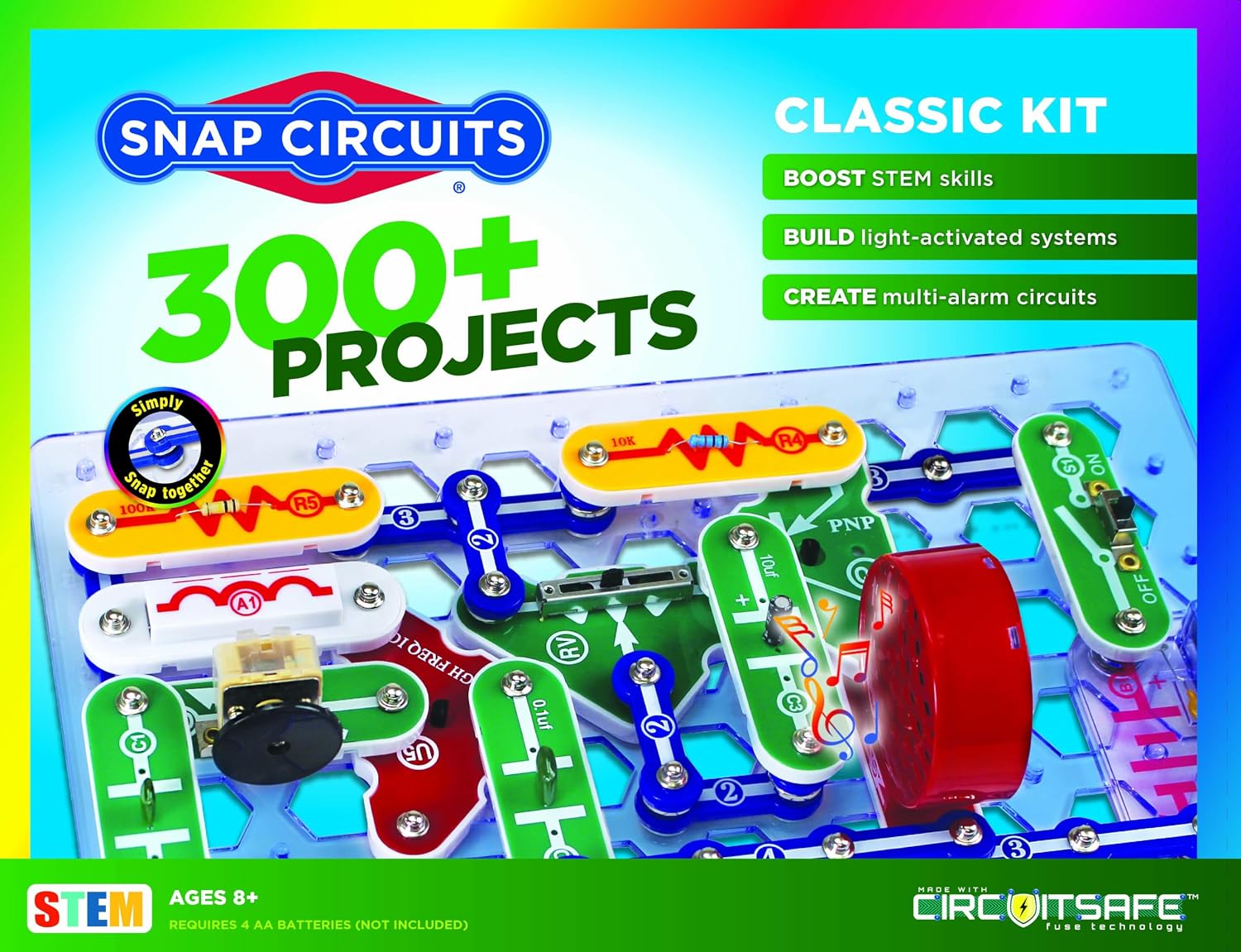
1. SNAP CIRCUITS Classic SC-300 — Best for Overall Learning
Overview: The SC-300 balances approachable snap-together construction with enough depth to stay useful beyond the first weekend.
Key Features: 300+ projects; reusable snap modules; full-color instructions; no soldering required.
Pros: Broad project range; visible circuit layouts; parts can be reused repeatedly.
Cons: The larger parts collection needs organized storage.
Best For: Families, homeschoolers, and classrooms wanting one flexible kit.
Verdict: It offers the strongest middle ground between simplicity, variety, and room to progress.
2. SNAP CIRCUITS Beginner SCB-20 — Best for Younger Beginners
Overview: Designed for ages 5–9, the SCB-20 uses simplified diagrams and a smaller component set to reduce frustration.
Key Features: 14 parts; 20+ projects; picture-heavy manual; snap connections.
Pros: Low learning barrier; compact; easy to reset between builds.
Cons: Older children may outgrow its limited project range quickly.
Best For: Early elementary learners building their first circuits.
Verdict: It is the clearest budget entry point when ease matters more than long-term complexity.

3. SNAP CIRCUITS Jr. SC-100 — Best for First Full Electronics Kit
Overview: The SC-100 steps up from beginner sets without becoming intimidating.
Key Features: 100+ projects; 28 snap-together parts; full-color manual; ages 8+.
Pros: Simple connections; substantial project variety; familiar modular system.
Cons: Most early projects follow predefined diagrams rather than open-ended prototyping.
Best For: Kids ready for a structured introduction to electronics.
Verdict: It provides enough variety for sustained practice while keeping setup straightforward.

4. SNAP CIRCUITS Pro SC-500 — Best for Long-Term Skill Growth
Overview: The SC-500 expands the Snap Circuits format with a much larger project library for learners who want to keep advancing.
Key Features: 500+ projects; reusable snap components; tool-free assembly; age-appropriate circuit experiments.
Pros: Excellent progression; broad experimentation; compatible learning style across projects.
Cons: More components mean more sorting and a higher purchase cost.
Best For: Motivated learners who have already enjoyed simpler circuit kits.
Verdict: Its project depth makes it a sensible upgrade instead of a short-lived novelty.

5. SNAP CIRCUITS Extreme SC-750 — Best Premium Option
Overview: The SC-750 is the broadest traditional Snap Circuits set here, aimed at users who want maximum experiment variety.
Key Features: 750+ experiments; 80 parts; analog meter; solar cell; computer-interface activities.
Pros: Extensive curriculum; wide component mix; strong progression potential.
Cons: Premium cost; older computer-interface material may deserve compatibility checking.
Best For: Dedicated hobby learners, STEM clubs, and families wanting one expansive set.
Verdict: Few kits offer this much guided circuit exploration in one reusable system.

6. SNAP CIRCUITS Arcade SCA-200 — Best for Game-Loving Kids
Overview: Arcade turns circuit lessons into game-focused builds, making electronics feel less like formal coursework.
Key Features: 200+ projects; arcade-style activities; reusable snap components; full-color guide.
Pros: Immediate fun factor; hands-on troubleshooting; familiar tool-free construction.
Cons: Children uninterested in games may prefer a broader theme.
Best For: Learners motivated by sound, competition, and interactive projects.
Verdict: It earns its spot by connecting electronics concepts with playful, repeatable outcomes.

7. SNAP CIRCUITS Green Energy — Best for Renewable Energy Projects
Overview: This specialized kit combines basic electronics with renewable-energy ideas rather than repeating standard light-and-sound projects.
Key Features: 125+ projects; 45+ reusable parts; renewable-energy focus; ages 8+.
Pros: Distinct subject matter; reusable components; useful science crossover.
Cons: Its theme is narrower than general-purpose electronics kits.
Best For: Kids studying solar, wind, energy conversion, or environmental STEM topics.
Verdict: It is a strong specialized choice for learners who want circuits connected to real energy concepts.

8. Elenco EP-130 Electronic Playground — Best for Classic Electronics
Overview: The EP-130 uses spring terminals and wires, giving learners a more traditional electronics-lab experience than snap modules.
Key Features: 130 experiments; spring-wire connection system; built-in speaker; seven-segment display; illustrated manual.
Pros: Encourages wire tracing; exposes component relationships clearly; no soldering needed.
Cons: Connections take longer than snap-together systems.
Best For: Older kids and teens who want a more technical feel.
Verdict: It bridges toy-like circuit kits and traditional breadboard-style experimentation nicely.

9. National Geographic Circuit Maker Kit 120 — Best for Visual Experiment Variety
Overview: This kit emphasizes quick, tool-free circuit building across a large collection of guided activities.
Key Features: 120 electrical projects; snap-style circuit board building; age 8+ design; visual experiment focus.
Pros: Many activities; approachable assembly; strong gift appeal.
Cons: It is less oriented toward coding or open breadboard prototyping.
Best For: Kids who enjoy completing visible experiments with lights, motion, and electricity.
Verdict: It offers substantial guided variety without requiring programming knowledge.

10. ELEGOO UNO R3 Project Super Starter Kit — Best for Coding and Prototyping
Overview: ELEGOO moves beyond fixed educational boards into Arduino-compatible breadboard projects, components, sensors, and code.
Key Features: UNO R3-compatible controller; 22+ projects; breadboard-based building; tutorial and code resources.
Pros: Teaches wiring and programming together; supports modification; good path toward independent projects.
Cons: Requires computer setup and more patience with wiring errors.
Best For: Teens, adults, and older beginners interested in coding electronics.
Verdict: It is the strongest specialized option for moving from guided circuits toward real prototyping.

How to Choose the Best Electronics Circuit Kits
Start with connection style. Snap modules are fastest for children, spring terminals encourage wire tracing, while breadboards teach transferable prototyping skills but demand more patience.
Next, match project depth to attention span and experience. A younger learner may benefit more from 20 successful builds than hundreds of intimidating ones. Older users usually gain value from sensors, meters, programmable controllers, and opportunities to modify circuits.
Check age guidance, required batteries, computer requirements, and storage needs before buying. For more hands-on context before choosing, this guide to circuits for kids explains how circuit activities can introduce electricity through practical experimentation.
Finally, consider expandability. A reusable ecosystem can reduce replacement costs and make later projects more creative, while a focused specialty kit can be better when the learner already has a specific interest.
Frequently Asked Questions About Electronics Circuit Kits
Are Electronics Circuit Kits safe for beginners? Most educational kits use low-voltage battery power and insulated or enclosed connectors, but buyers should follow the manufacturer’s age guidance, battery instructions, and supervision recommendations.
Do kids need to know electronics first? No. Beginner kits are designed to teach concepts progressively through diagrams and repeated building.
Are snap kits better than breadboards? Neither is universally better. Snap kits favor speed and clarity; breadboards better resemble real prototyping and allow freer experimentation.
Can one kit serve multiple children? Yes, especially reusable modular sets, although groups may need extra time for taking turns and organizing components.
What should I check before ordering? Confirm the exact model, included parts, battery requirements, age range, current warranty information, and whether computer software is needed.
Final Verdict
For most buyers, the Snap Circuits Classic SC-300 is the best overall because its 300+ projects balance accessibility and long-term variety. The Snap Circuits Beginner SCB-20 is the best budget option for younger learners, while the Snap Circuits Extreme SC-750 is the premium pick for maximum guided depth.
The Snap Circuits Jr. SC-100 is best for beginners who want a fuller first kit, and the ELEGOO UNO R3 Project Super Starter Kit is the best specialized choice for coding and breadboard prototyping.
Before purchasing any Electronics Circuit Kits, compare the included components, confirm age suitability and device requirements, review current warranty details, and check the latest Amazon.com product information because availability and package contents can change.